

A CODESILK app
SFBracket · For iPhone & iPad
Focus bracketing for Sony cameras, on autopilot.
SFBracket turns your iPhone or iPad into a focus-bracketing controller. Pick the number of frames, the step size and the direction. The app steps the lens, waits for it to settle and fires every frame, ready to stack into one image that is sharp from front to back.
- Free download
- Pro $5.99 one-time
- iOS 16 or later
- No data collected
- frames per bracket, free
- 10
- frames per bracket with Pro
- 200
- timelapse runs per session
- 999
- bytes of your data collected
- 0
How it works
Three steps to a stack that is sharp everywhere
- 1
Pair your camera
Turn on Bluetooth remote control on the camera and pair it in seconds, or plug in a USB cable for PC Remote control.
- 2
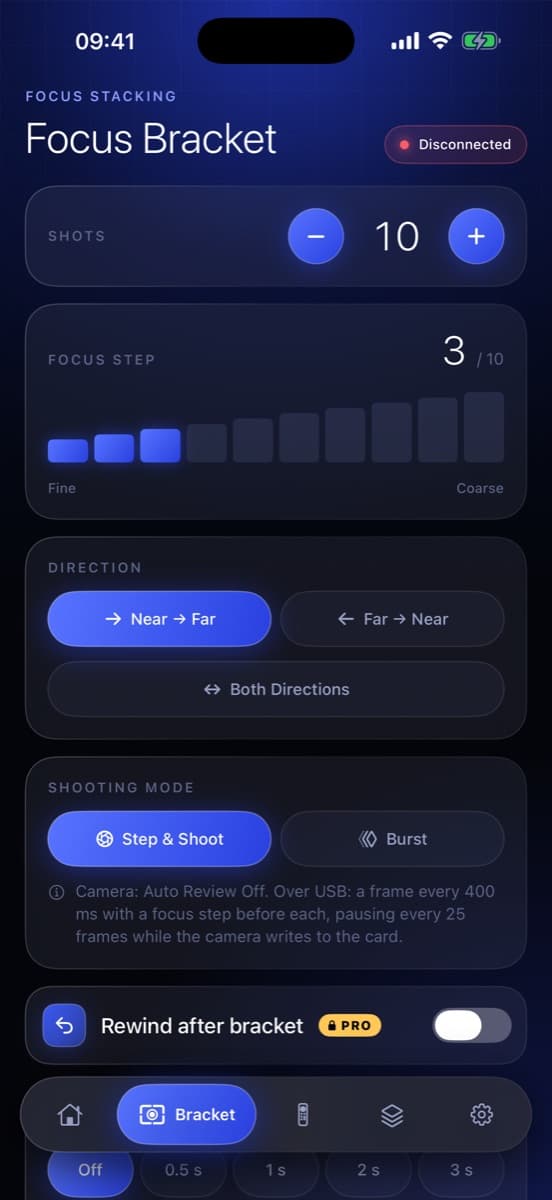
Set the bracket
Choose how many frames to shoot, one of ten focus step sizes and the direction, near to far or far to near. Or start from a macro, product or landscape preset.
- 3
Shoot, then stack
SFBracket moves focus, waits for the lens to settle and fires every frame. Check the stack preview on your phone, then merge the full-resolution files in your stacking software.
Free to download
A complete focus-bracketing tool in the free app
No account and no trial clock. Shoot brackets of up to 10 frames for free, for as long as you like.
Ten focus step sizes
From fine macro steps to coarse landscape steps.
Near to far, or far to near
Bracket in whichever direction suits the scene.
Live view with focus peaking
Over USB, see exactly what is in focus before you shoot.
On-phone stack preview
SFBracket runs the focus steps without shooting and stacks the live view into a quick preview of the final image.
Full camera remote
Shutter, autofocus and focus near and far controls on your phone.
Focus test step
Check your step size before you commit to a full bracket.
Built-in presets
Ready-made setups for macro, product and landscape work.
Setup guide
Step-by-step pairing for Bluetooth and USB.
Built for the tripod
A dark, glanceable interface you can read at arm's length
Set up a bracket 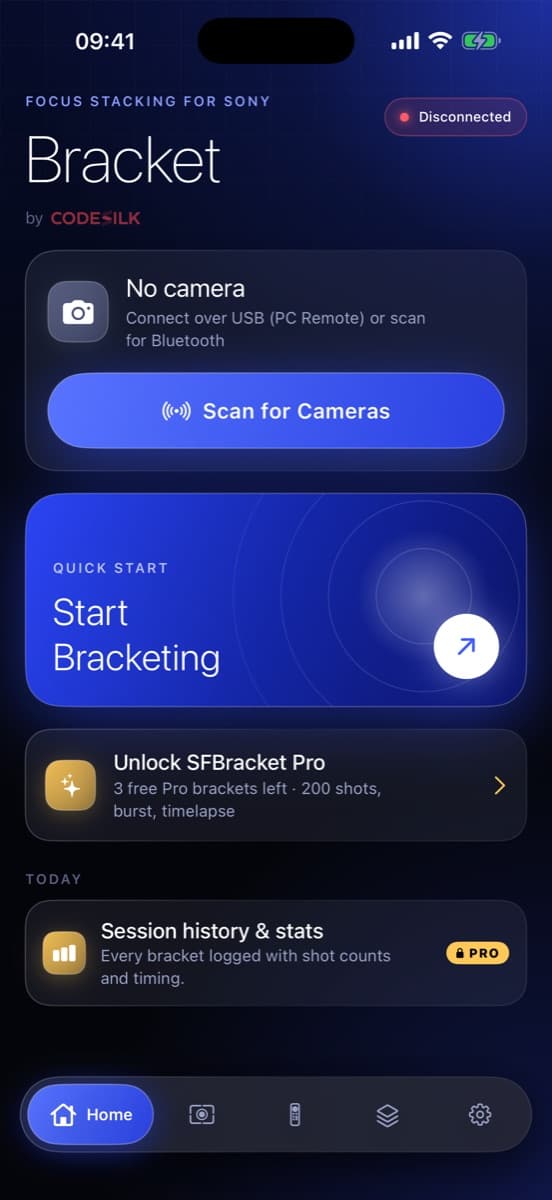
Connect in seconds 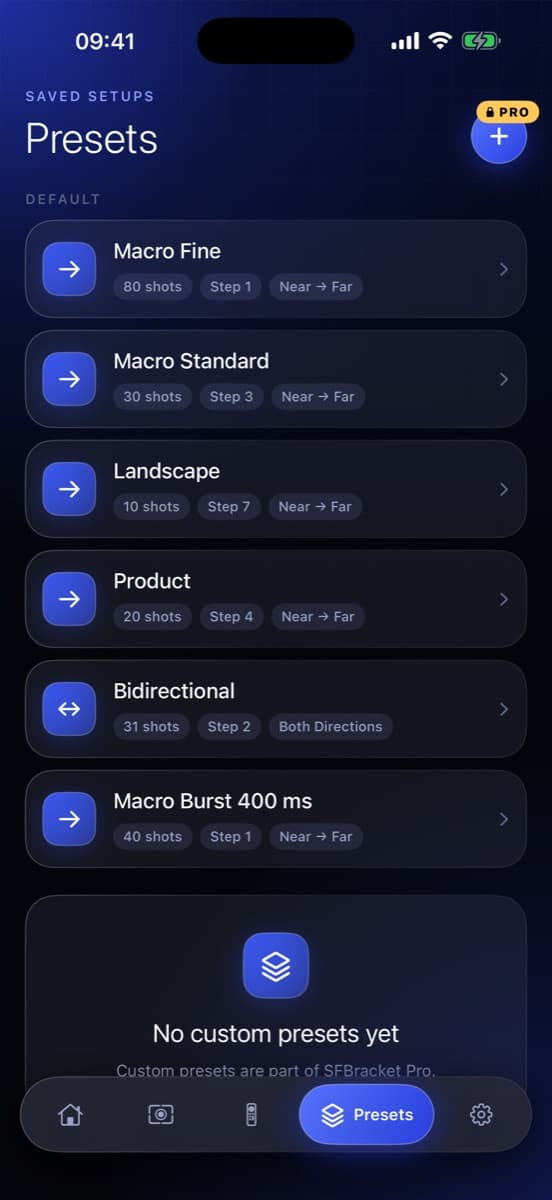
Presets for every subject 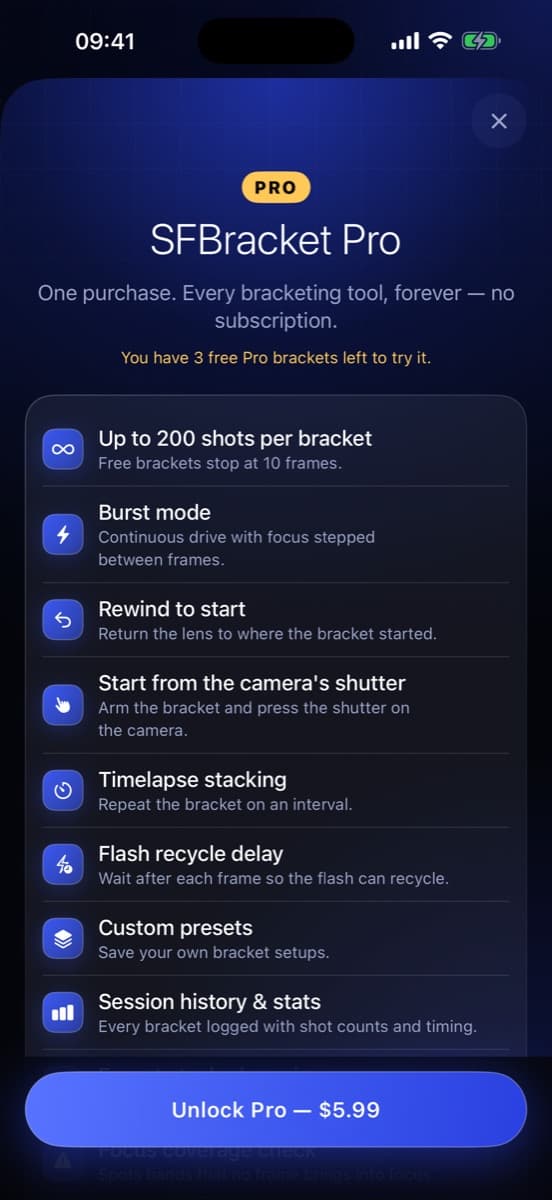
Unlock Pro once
Two ways to connect
Wireless when you roam. Wired when you need speed.
Bluetooth
Step-and-shoot through the camera's Bluetooth remote. No cables and no Wi-Fi setup: pair once and go.
- Pairs from the camera's Bluetooth remote menu
- Keeps running with the app in the background
- Ideal for landscapes and macro in the field
USB · PC Remote
Connect by cable for faster, more precise focus steps and live view straight from the sensor.
- Live view with focus peaking
- On-phone stack preview
- Burst mode with Pro
PROSFBracket Pro
One purchase. Every bracketing tool, forever.
No subscription. Try Pro with your own camera first: your first 3 Pro brackets are on us.
Up to 200 shots per bracket
Cover deep subjects in fine steps.
Burst mode
Continuous drive with focus stepped between frames.
Rewind to start
Return the lens to where the bracket started.
Start from the camera's shutter
Arm the bracket and press the shutter on the camera.
Timelapse stacking
Repeat the bracket every 60 seconds to 24 hours, up to 999 runs.
Flash recycle delay
Wait after each frame so the flash can recycle.
Custom presets
Save your own bracket setups.
Session history & stats
Every bracket logged with shot counts and timing.
Export stacked preview
Save the on-phone stack to Photos or share it.
Focus coverage check
Spots depth bands no frame brought into focus and suggests a finer step.
Lock Screen progress
Follow long brackets on the Lock Screen and in the Dynamic Island.
SFBracket Pro
$5.99one-time purchase
- No subscription, ever
- 3 free Pro brackets to try it
- Family Sharing supported
- Restore on any of your devices
US price. Local App Store pricing may vary.
Private by design
No account. No analytics. No ads. No tracking.
SFBracket collects no data. It talks to your camera and nothing else. The only network request goes to the App Store, and only when you buy Pro.
Read the privacy policyCompatibility
Works with Sony cameras that support the Bluetooth remote or USB PC Remote
You need a camera with Bluetooth remote control or USB PC Remote support, and an autofocus lens. Step sizes are relative and depend on the lens.
- Device
- iPhone or iPad
- System
- iOS 16 or later
- Lens
- Autofocus lens, AF switch on
- Languages
- English, German, Japanese, French, Spanish
Compatible models include
- α1
- α1 II
- α9
- α9 II
- α9 III
- α7 III
- α7 IV
- α7 V
- α7R III
- α7R IV
- α7R IVA
- α7R V
- α7S III
- α7C
- α7C II
- α7CR
- α6100
- α6400
- α6600
- α6700
- ZV-E1
- ZV-E10
- ZV-E10 II
- ZV-1
- ZV-1F
- ZV-1 II
- RX100 VII
- RX0 II
- RX1R III
- FX2
- FX3
- FX3A
- FX30
These models support the same Bluetooth remote protocol. SFBracket is tested on the α7R IV. If your camera does not connect, let us know.
FAQ
Frequently asked questions
What is focus bracketing?
Focus bracketing means taking a series of photos while moving the focus a little between each shot. Merging them, called focus stacking, gives one image that is sharp from the nearest to the farthest point. A single frame cannot do that at macro distances or with wide apertures.
Does SFBracket stack the photos for me?
SFBracket shoots the bracket and shows a low-resolution stack preview on your phone so you can check coverage. For the final full-resolution image, merge the files in desktop stacking software such as Helicon Focus, Zerene Stacker or Adobe Photoshop.
Which cameras work with SFBracket?
Sony cameras that support Bluetooth remote control or USB PC Remote, used with an autofocus lens. See the compatibility list on this page.
What is the difference between Bluetooth and USB?
Bluetooth is wireless step-and-shoot at roughly 1.5 to 3 frames per second. USB (PC Remote) is faster and more precise, and adds live view with focus peaking, the on-phone stack preview and burst mode.
How much does SFBracket Pro cost?
SFBracket is free to download. SFBracket Pro is a one-time purchase of $5.99 in the US, with no subscription. It supports Family Sharing and can be restored on a new device from Settings. Every new user gets 3 free Pro brackets to try it.
Does timelapse stacking run with the screen off?
No. Timelapse stacking repeats the bracket on an interval and needs SFBracket open in the foreground. Keep your device on power for long sessions.
Does SFBracket collect any data?
No. There is no account, no analytics, no ads and no tracking. SFBracket collects no data.
Is SFBracket made by Sony?
No. SFBracket is an independent app made by CODESILK. It is not affiliated with, endorsed or sponsored by Sony Group Corporation.
Your next stack starts with one tap.
Download SFBracket free on the App Store and shoot your first bracket in minutes.
Download on theApp StoreSFBracket is an independent app and is not affiliated with, endorsed or sponsored by Sony Group Corporation. Sony and Alpha are trademarks of Sony Group Corporation. Apple, the Apple logo, iPhone and iPad are trademarks of Apple Inc. App Store is a service mark of Apple Inc.